Team and settings
Invite people, manage their access and configure your account and organization.
Open Settings. My account holds your personal details and sign-in methods; Organization holds the business details and the team; Billing holds the subscription.
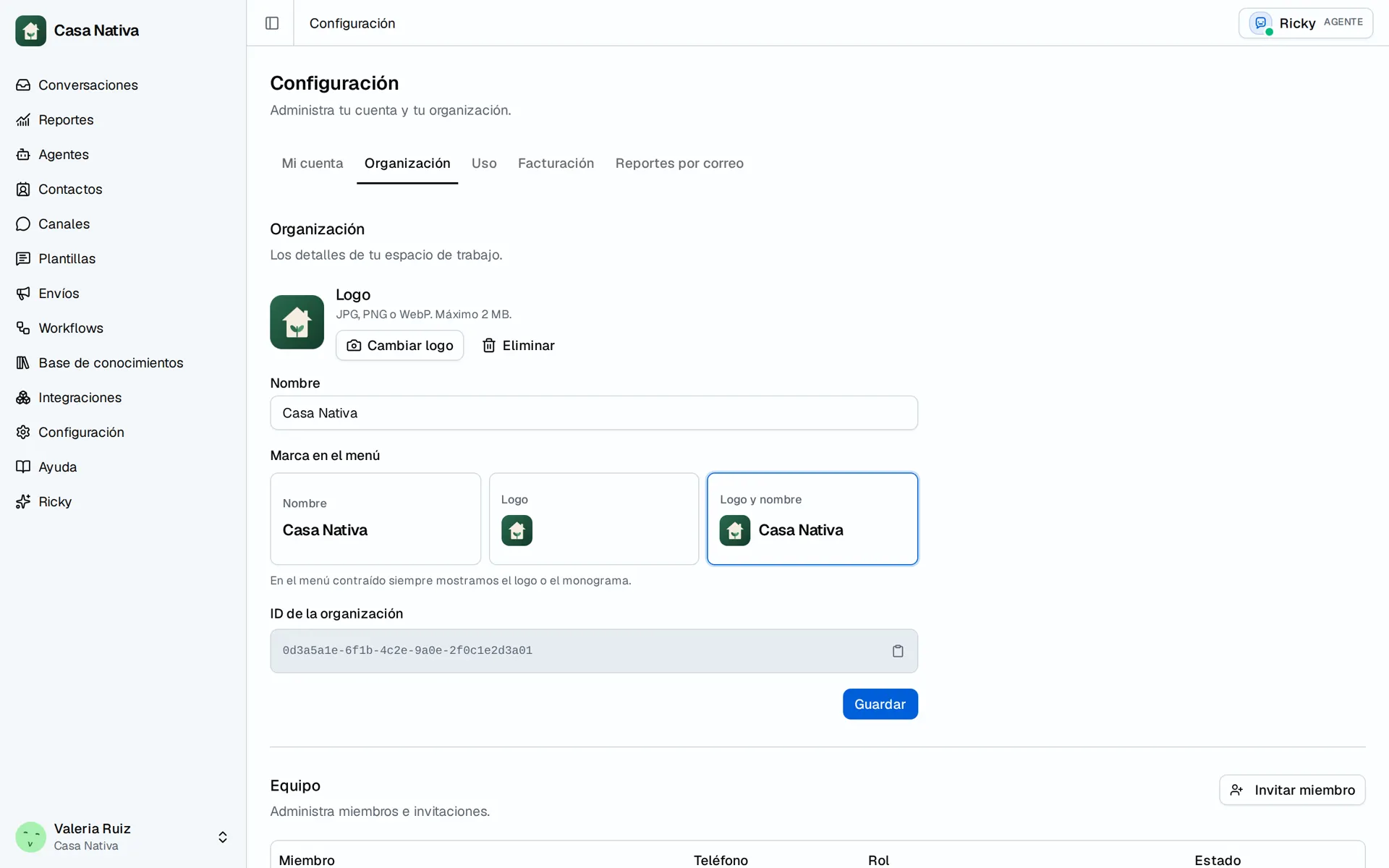
Demo organization: Casa Nativa. Interface shown in Spanish.
Invite someone
- Open Organization and find the team section.
- Open the invitation and enter the person's email.
- Choose Member or Admin.
- Select Send invitation.
- Check whether they appear as a member or whether their invitation is still pending.
Existing users are added right away. People who don't have an account yet receive an invitation. Don't rely on an acceptance email as the only sign that someone already has access.
Use Member for people who will serve customers. Keep Admin for people who need to manage the workspace. The options you see depend on your permissions.
Change or remove access
From the team you can manage roles, remove members and cancel pending invitations, depending on your permissions. Before removing someone, review the conversations and contacts they own and agree on who will take them over.
Canceling a pending invitation is not the same as removing someone who already belongs to the organization. Check the result in the matching list.
Configure your account
In My account you can update your profile, review your sign-in methods and change your password. The new password must match its confirmation and be at least eight characters long.
Connecting Google or GitHub as a sign-in method does not connect an integration for the agents. They are separate kinds of access. Don't disconnect a method until you've confirmed you have another way to sign in.
If an option is missing
Check that you're in the right organization and ask its admin to review your role. Having permissions on a Meta account doesn't make you a Ricky admin, and being a Ricky admin doesn't give you access to every Meta account.
To review payments or usage, continue with Billing and credits.