Get started with Ricky
Create your account, connect a channel, get your first message and invite your team.
This guide covers what you need to serve your customers from Ricky on day one.
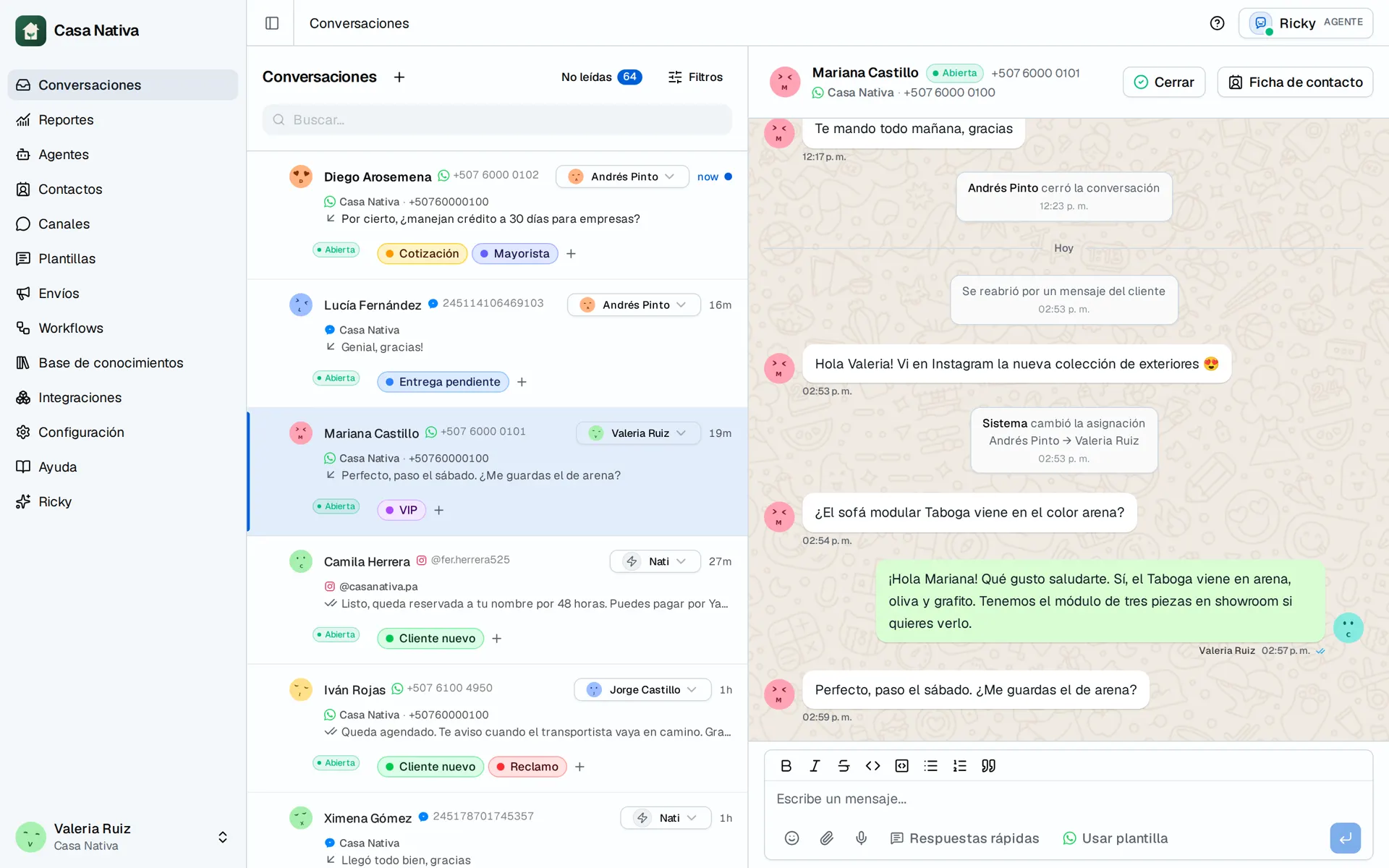
Demo organization: Casa Nativa. Interface shown in Spanish.
1. Create your account
Go to Create account. Enter your name, your email, a password and your business name, or continue with Google. Ricky creates your workspace instantly and opens the channels screen.
You get a 14-day trial with no card required. The top bar shows how many days are left.
2. Connect a channel
Pick one:
- Connect WhatsApp.
- Connect Instagram.
- For Messenger, first check the channel's availability.
A Meta window opens where you choose your number or your account. When you finish, the channel appears in the list.
3. Get your first message
- From another phone, send a message to your connected number or account.
- Open Conversations.
- The conversation shows up in the list within seconds. Open it and reply from Ricky.
4. Invite your team
In Settings, under Team, enter each person's email and choose their role. Each invitee gets a link by email and joins the same inbox.
5. Choose your plan
Before the trial ends, choose a plan in Settings and complete the payment. If the trial ends without a plan, Ricky keeps your channels and conversations and resumes service as soon as you pay.
Next step
When you want Ricky to reply on its own, set up an agent and add Hand off to an AI agent in a workflow for the channel. You can also pause the AI and reply manually.