Create a workflow
Define when a conversation starts and which steps the bot follows.
A workflow runs a defined path when its Trigger occurs. Use it to greet, ask questions, route handling, or close a conversation. An AI agent interprets messages; a workflow follows the steps and outputs you configure.
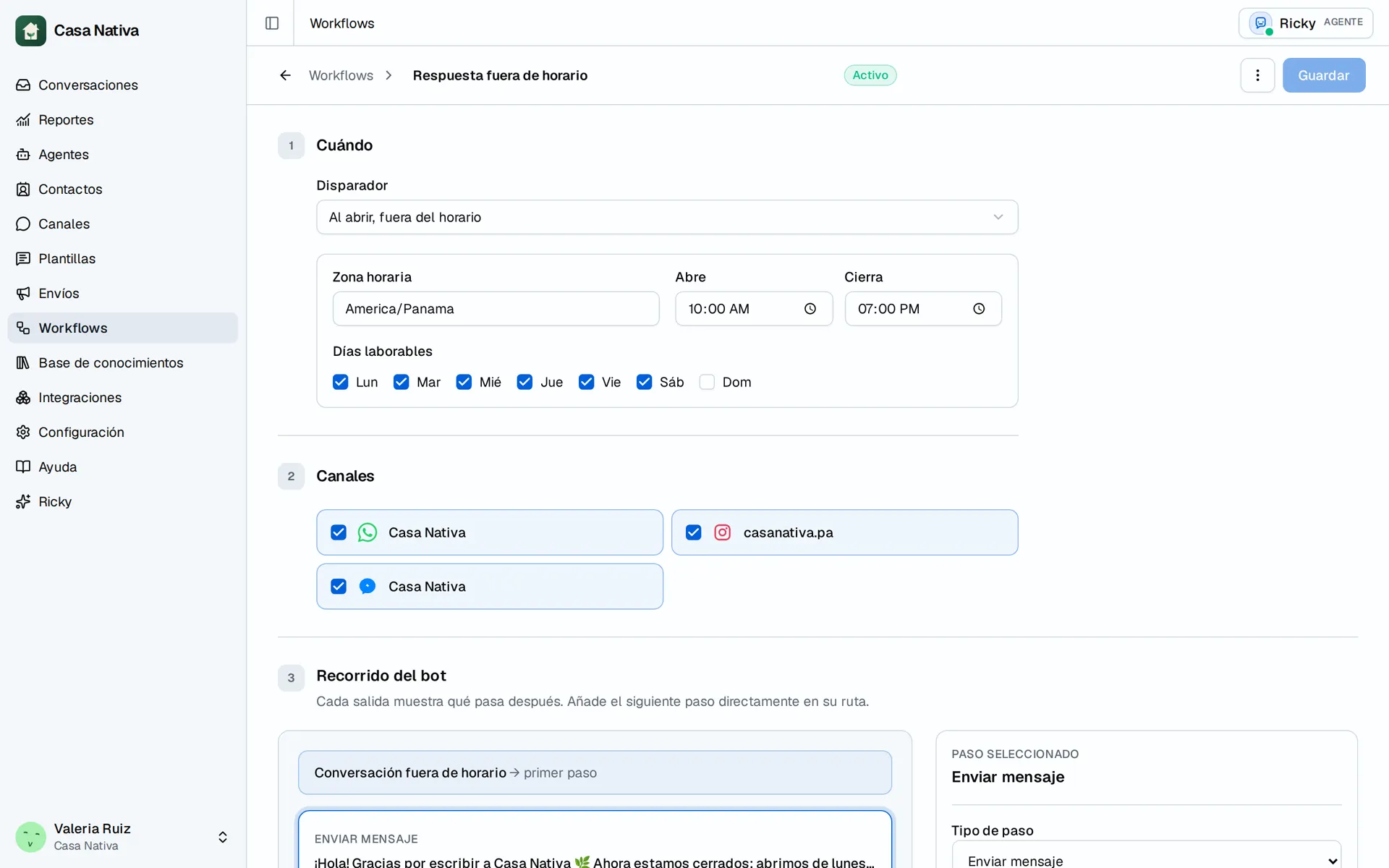
Demo organization: Casa Nativa. Interface shown in Spanish.
Video: create and save a test workflow as a draft in Casa Nativa.
Build the flow
- Open Workflows and select New workflow.
- Enter a Name that explains its purpose.
- Under When → Trigger, choose When someone messages for the first time, When a conversation opens, or When a conversation opens outside business hours.
- For outside hours, review Time zone, Opens, Closes, and Business days.
- Under Channels, select at least one connected account.
- Under Bot journey, select the first step and its Step type.
- Use + Add step on each path that should continue. Review the outputs before saving.
- Select Save draft to review without running or Save and activate when ready.
Steps include Send message, Ask a question, Check a condition, Wait, Hand off to a person, Hand off to an AI agent, Close conversation, and End flow. Hand off to an AI agent is how automatic handling starts for selected channels; connecting a channel alone is not enough.
Questions with choices
Questions with choices require WhatsApp-only channels. Up to 3 choices appear as buttons; 4 to 10 appear as a list. A choice's path runs when the customer taps it. Free text follows Other message; you can also define what happens after No answer. Test every path with test data before activation.
Review and correct
A Draft does not run. Pause workflow stops new executions; Save and reactivate turns it back on. Pausing does not recall a message already sent or in progress. If saving fails, check the highlighted fields, channel selection, and incomplete steps. Delete workflow is permanent.
Activation does not prove provider delivery. Start a test conversation, check the path in Conversations, and review delivery status where relevant. Scheduled workflows and reminders in the Ricky assistant are a separate flow.