Contacts and CRM
Save and organize your customers' information, with tags, stages and notes.
Everyone who messages you on WhatsApp, Instagram or Messenger is saved as a contact. The list lives in Contacts.
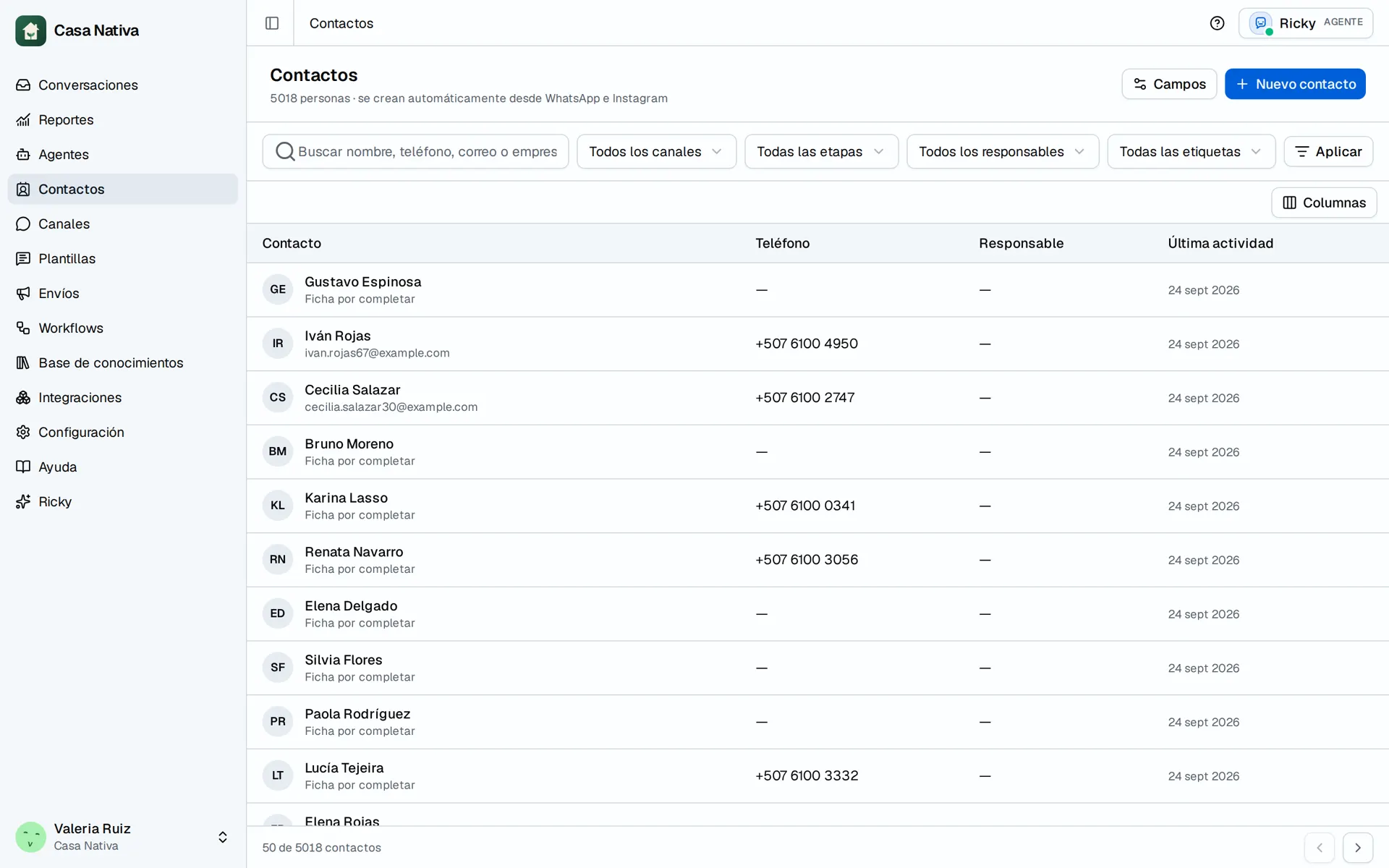
Demo organization: Casa Nativa. Interface shown in Spanish.
Search and filter
- Open Contacts.
- Use the search box to find someone by name, phone, email or company.
- Filter by channel, stage, owner or tag and select Apply.
- Clear removes all filters.
You can also create contacts by hand with New contact.
Open a contact's record
Select a row and the side panel shows the contact's details, conversations and notes. From here you change their details, stage and owner.
Lifecycle stages
Each contact has a stage: subscriber, lead, marketing lead, sales lead, opportunity or customer. Use it to tell apart someone who's just asking from someone who's already buying.
Tags
Tags group contacts by your own criteria, for example Wholesale or Mexico City. Create and manage tags from the same contacts list.
Custom fields
- In Contacts, open Fields.
- Create the fields your business needs, for example Size or Delivery date.
- Fill them in on each contact's record.
Notes
Notes keep context about the customer: what they asked for, what you promised, what happened. Each new note is added to the previous ones; nothing is overwritten.
Owners
Each contact has an owner on the team. When someone takes a conversation, they also become the contact's owner.