Work with the Ricky assistant
Look up your data and ask for actions on conversations, the CRM, agents and workflows.
Open Ricky inside the app and describe the result you need. The assistant works in your active organization. The available tools depend on your permissions.
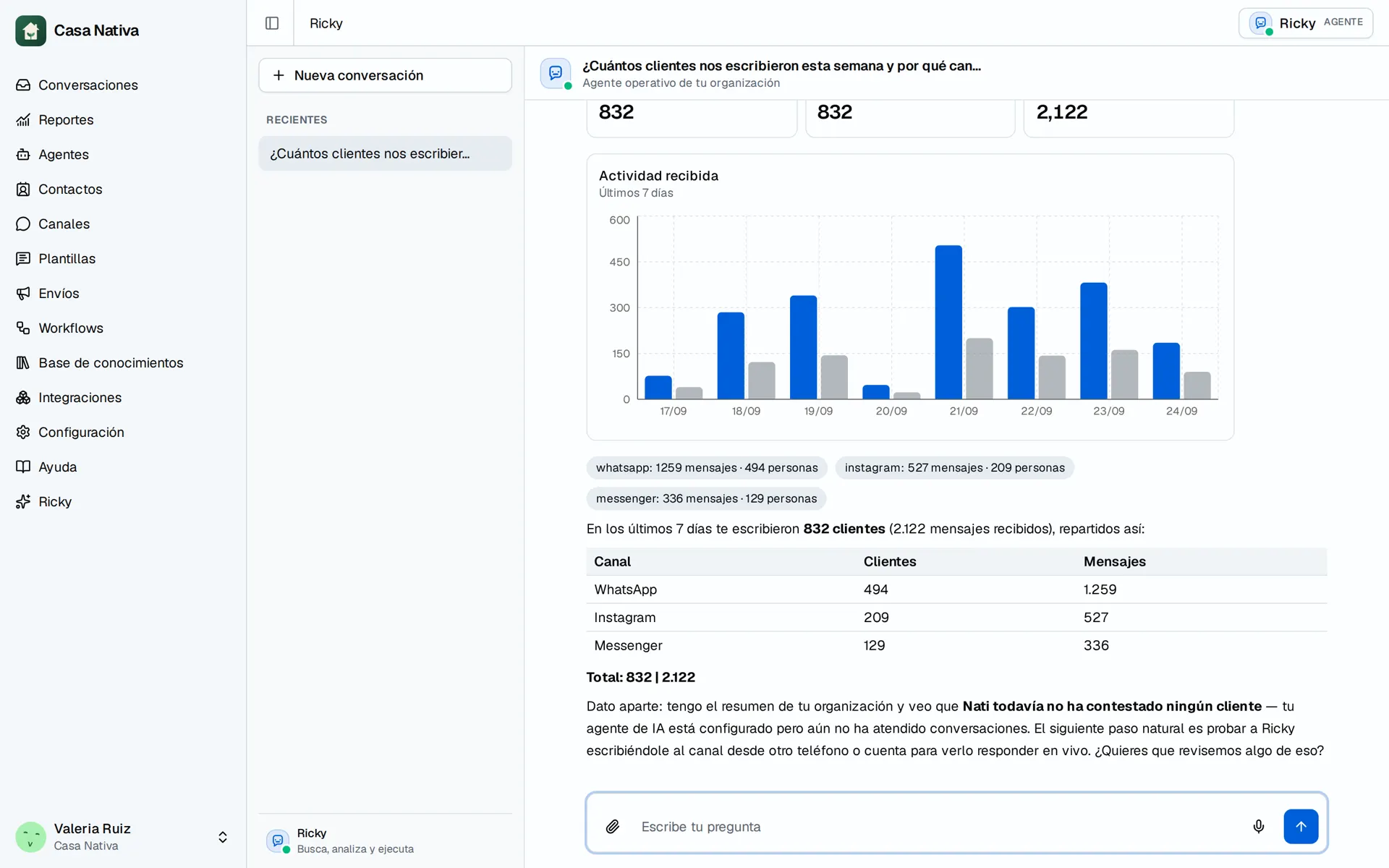
Demo organization: Casa Nativa. Interface shown in Spanish.
Conversations
You can ask it to search messages, read conversations, look up older history or list the latest conversations with filters. It can also assign owners one by one or in bulk, change tags, assign an AI agent, remove an assignment, archive, unarchive and mark as read for you.
For example: "Review the last 50 conversations and propose how to split them among the team based on the location each customer mentions." If a conversation doesn't contain enough evidence, the assistant should say so and ask you how to assign it.
CRM and knowledge
You can create contacts and edit their details, stage, owner and custom fields. Adding a note keeps the previous ones. A partial update keeps the fields and tags you didn't ask to change. You can also create, edit and delete tags and manage custom fields.
The company's shareable knowledge is separate from the customer CRM: it includes contact cards and locations with address, hours and contact details. The assistant can look up and manage those records.
Agents and workflows
You can review and change the agents' instructions, model, voice and tools. The assistant checks the catalog of available options before proposing changes. Enabling a tool doesn't create a connection to an external system.
You can review, create, edit, activate, pause or delete workflows. New workflows are created as drafts. Activating them lets them run their actions automatically. Editing an active one affects the next runs. Pausing it doesn't cancel messages that are already queued. You can also check the recorded statuses and errors of their runs and scheduled sends.
Messages and templates
The assistant can send text on WhatsApp, Instagram and Messenger after you approve it. The channel's reply limits still apply. On WhatsApp it can also send approved templates, create new templates and check their status in Meta.
It also manages the team's quick replies: it creates, edits and deletes saved text, and operators insert it when replying.
A queued send doesn't confirm the customer received it. Check its status in the conversation.
Queries and documentation
You can query the CRM with filters and totals, group conversations by channel, owner, stage or day and look up response times. The response time metric measures each incoming message until the first outgoing message after it, whether human or AI. It isn't resolution time.
The assistant can also search and read these guides. If you ask what it can do, it checks its current tool catalog.
Approve changes
Before a write action, the assistant shows the proposed change. Review the details and press Approve change or Cancel. A pending approval doesn't mean the change has already been made. In a bulk operation, also review the individual results: one row can fail even if others were completed.