Set up an agent
Define how an agent should reply and which actions it can take.
An agent combines instructions, a model and an explicit set of tools.
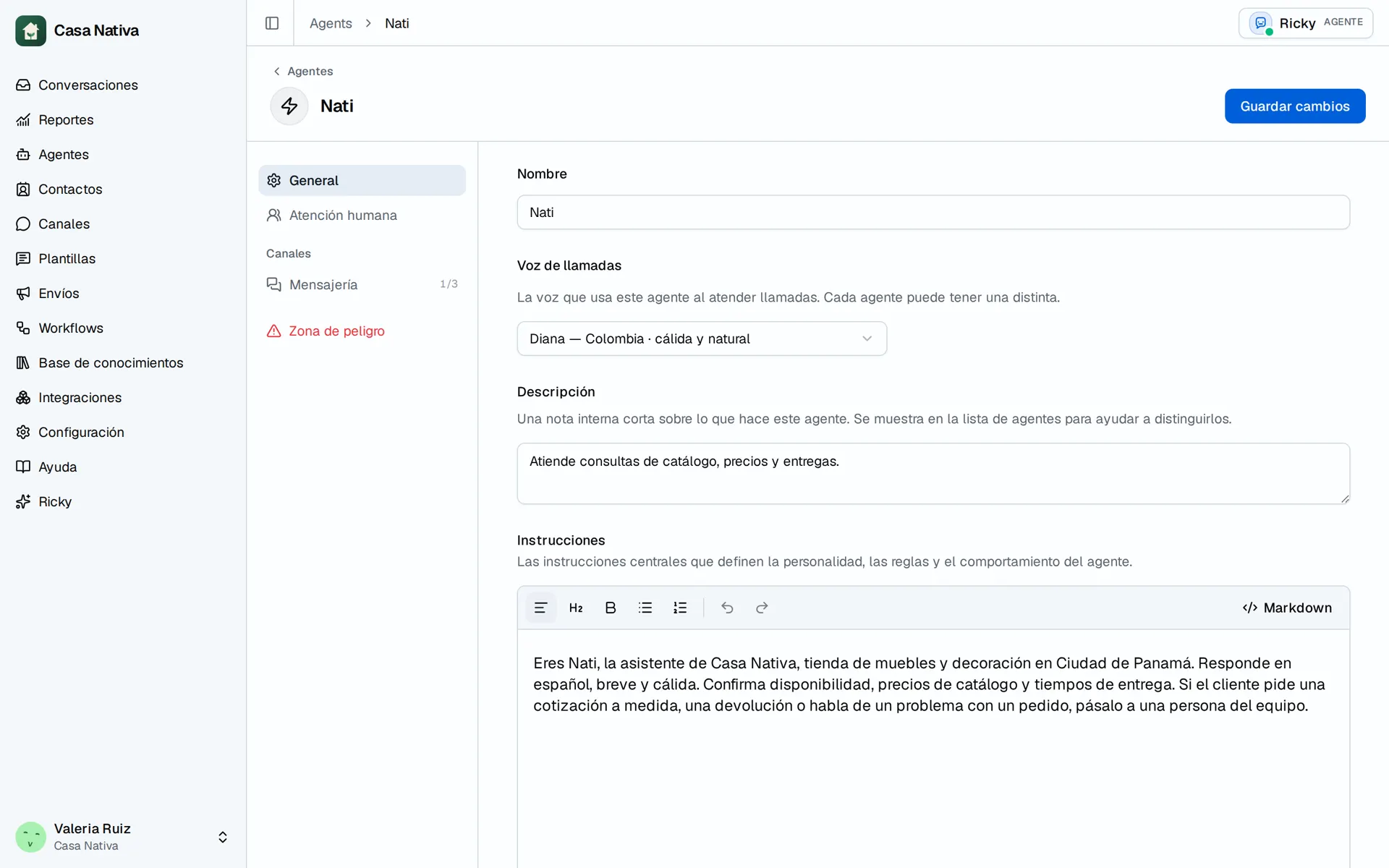
Demo organization: Casa Nativa. Interface shown in Spanish.
Video: create a test agent in Casa Nativa.
Create the agent
- Open Agents.
- Select New agent.
- Enter a clear name.
- Select Create agent.
Define the instructions
Under General, set:
- Model: the model that processes the conversations.
- Instructions: the rules, context and expected behavior.
The instructions should say:
- Which business the agent represents.
- Which problems it can solve.
- What information it must ask for before acting.
- When it must stop or ask for human help.
- What it must never promise or make up.
Write concrete instructions
Start with short rules you can check in a conversation. This example is a structure to adapt, not a promise of enabled features:
You represent our business's customer service team. Reply in the customer's language and ask for the location when it's needed. Only use confirmed prices and hours. If a detail is missing, say so; don't make it up. Before changing information, confirm what the customer wants. If they ask for a person or their case needs an exception, request human help with the available tool.
Include your real policies for exchanges, deliveries or cancellations. Avoid contradictory instructions, such as asking for a confirmation while also telling it to act without asking.
For business addresses and contacts, see Knowledge. For live data from other systems, connect an integration.
Enable tools
Tools let the agent read or change information in connected systems. Only the tools available for your workspace's integrations appear.
Turn on only the actions it needs. For example, an agent that only checks availability doesn't need permission to delete records.
Save and test
Select Save changes. Then add Hand off to an AI agent in a workflow for the channel and send test messages.
Test at least:
- A common question.
- An incomplete request.
- A request that needs a tool.
- A request the agent should decline or escalate.
Change an assigned agent
You can change the agent in the workflow that routes a channel or in a conversation. This affects future replies; it does not rewrite history.
Continue with each feature
- Agent tools: permissions to read, send, and change data.
- Human handoff: recipients and AI pause.
- Buttons and interactive messages: WhatsApp and Instagram choices.
- Voice notes and voice calls: incoming audio, recordings, and call voice.
- Files, directory, and locations: information the agent can consult or share.
An instruction does not turn on a feature by itself. Check the agent's tools, channel, and integrations before testing.