Business knowledge
Organize the locations and contacts your team can share with customers.
The knowledge base holds business information to share. It isn't the customer CRM: a location or the public sales contact goes here; a customer's personal phone and notes go in Contacts.
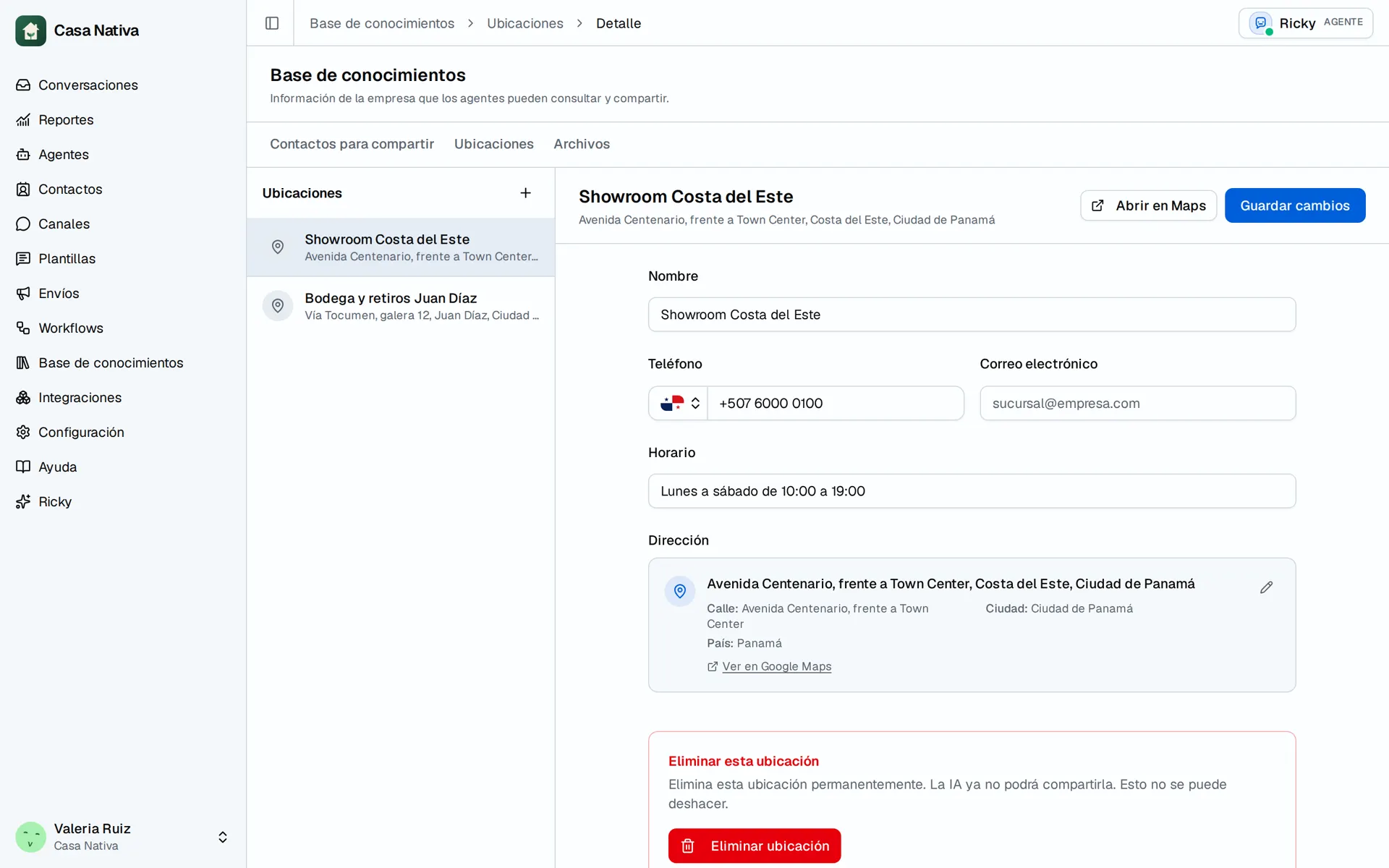
Demo organization: Casa Nativa. Interface shown in Spanish.
Shareable contacts
Open Shareable contacts in the knowledge base. Keep there the contact details your business wants to give customers, such as the contact for a branch or a department.
Use names that tell them apart. "Sales, north branch" is clearer than several records named "Sales". Avoid including private numbers that shouldn't be shared.
Locations
Open Locations to see the business's branches. Review the address, hours and contact details before using them with customers.
When an address or schedule changes, update the information before asking the agent to share it. If you have several locations, say in the instructions that it must ask which one the customer needs.
Manage the data with the assistant
The Ricky assistant can look up and manage these records. For example: "Show me the locations and their hours so I can check they're up to date."
To change something, name the record and the exact detail: "Update the Saturday hours for the north branch." Review the proposal before approving it, especially when there are similar names.
Check what the agent replies
- Check that the record has the correct details.
- Check the agent's enabled tools; instructions alone don't grant access.
- From a test account, ask for the address, hours or contact.
- Compare the reply with the record.
- Try an ambiguous question, such as "What time do you close?", to check that it asks for the location when needed.
If information is missing, the agent should say so or ask for help. Don't use instructions that let it make up hours or addresses.
See the detailed guides for files, shareable contacts, and locations.