Agents
Business locations
Keep addresses and opening hours the agent can share.
Locations stores business sites in the Knowledge base. The agent can use these details to answer where a location is or when it opens if the relevant tool is enabled.
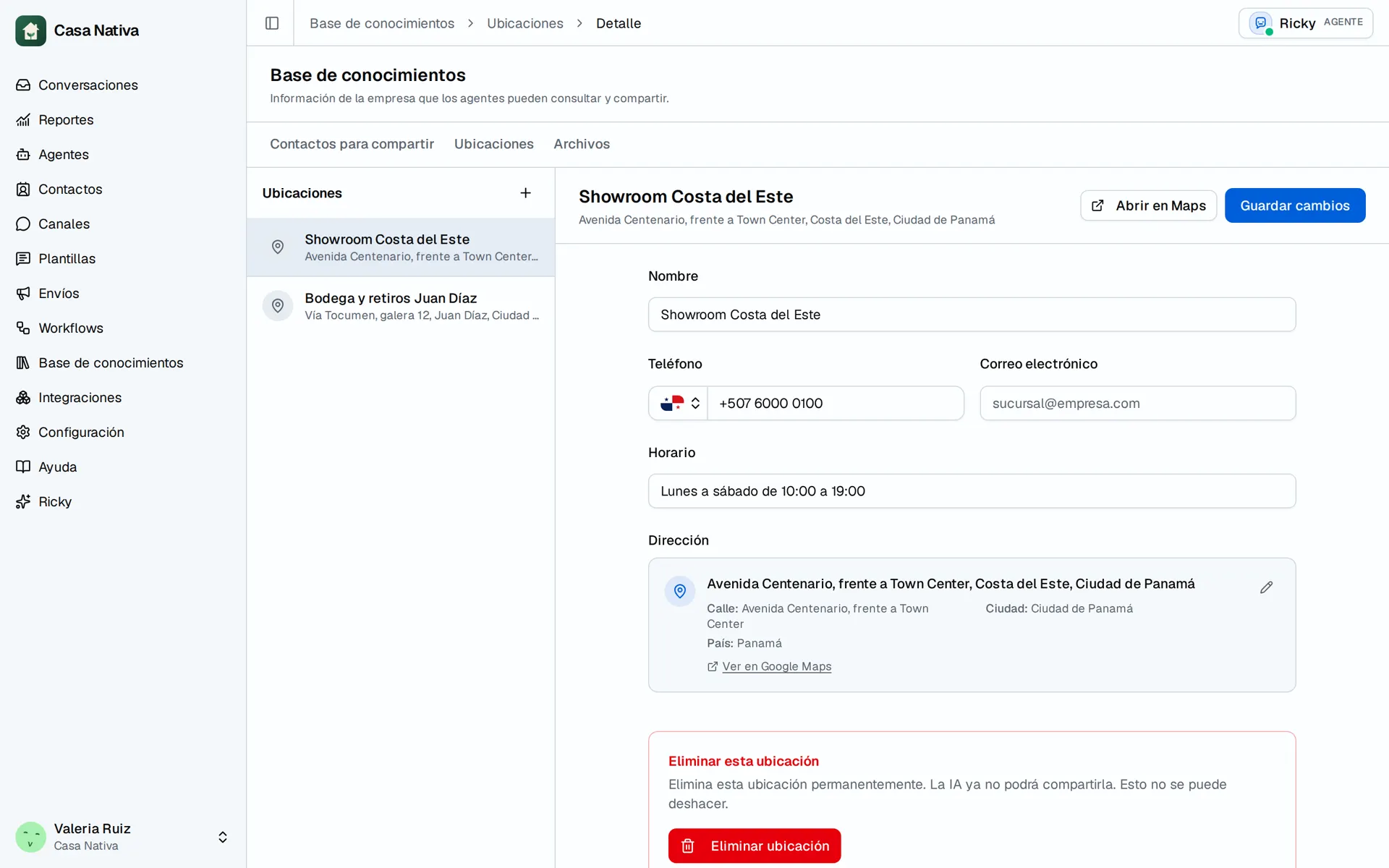
Demo organization: Casa Nativa. Interface shown in Spanish.
Add a location
- Open Knowledge base → Locations.
- Select New location.
- Fill in Name, Address, Phone, Email, and Hours as needed.
- Check the address with View in Google Maps when available.
- Select Add location. Later, open it and use Save changes to edit it.
Give each location a distinct name. Check hours for every site even if several share a schedule; do not make the agent guess. If the address cannot be found, use Enter address manually and review it before saving. After changing hours, check the agent's answer in a test conversation. Delete removes the location from the knowledge base and cannot be undone.