Knowledge files
Upload documents and images that agents can consult or send.
Files in the Knowledge base have two separate permissions: Use to answer lets the AI consult extracted content; Allow sending lets it share the file with a customer.
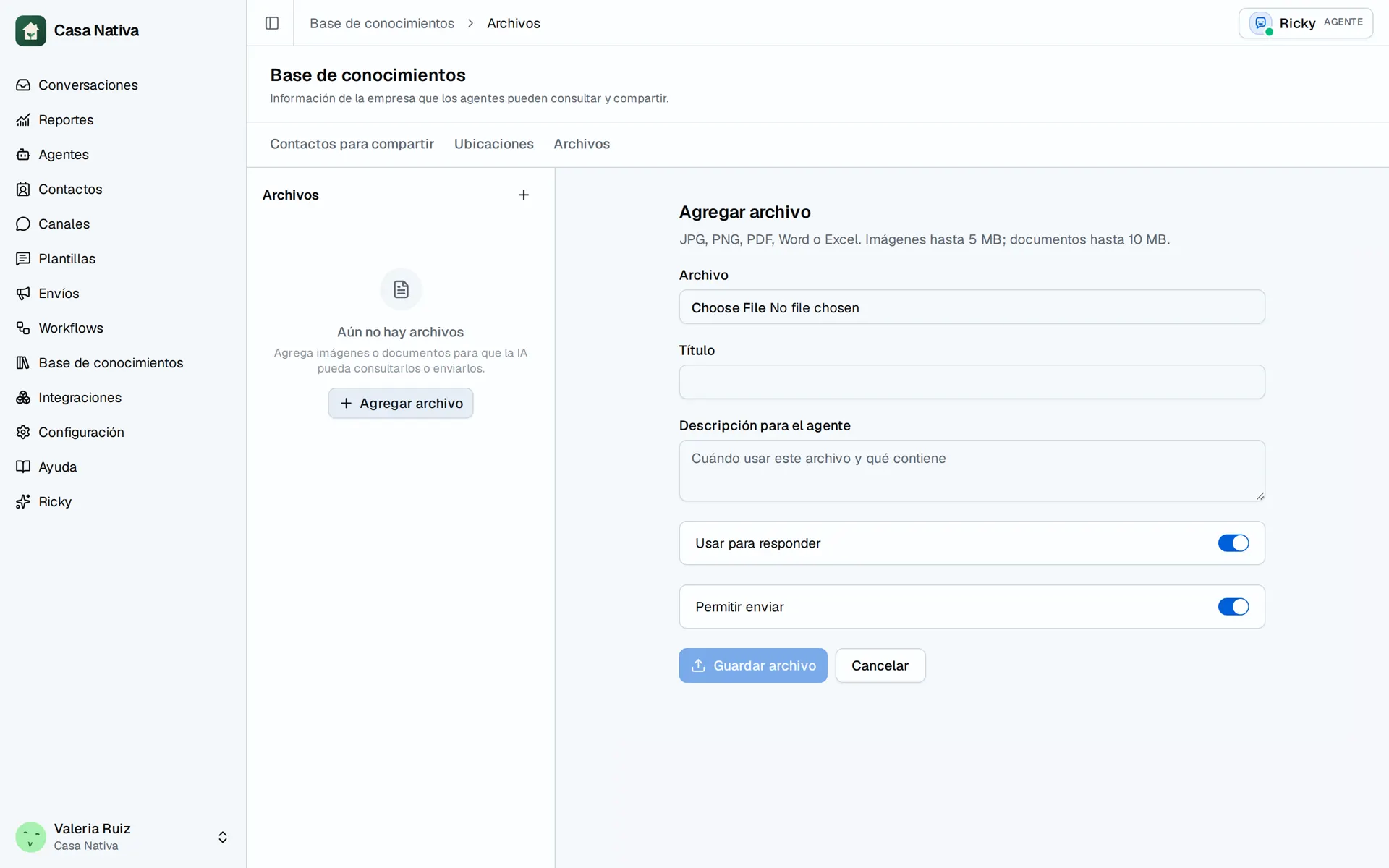
Demo organization: Casa Nativa. Interface shown in Spanish.
Add a file
- Open Knowledge base → Files.
- Select Add file and choose a file.
- Enter a Title and a Description for the agent explaining when to use it.
- Select Use to answer and/or Allow sending.
- Select Save file and wait for processing.
- Open the file and check Preview of content read by AI before relying on its contents.
The UI accepts JPG, PNG, PDF, Word, and Excel. Images can be up to 5 MB and documents up to 10 MB. Content ready means extraction succeeded; Available to send; content not readable means the agent may share it but cannot answer questions from its text.
If you see Incomplete upload or File unavailable, delete the failed upload and try again. If extraction is wrong, correct the source file and upload it again. File permission does not replace selecting the agent tools.