Agents
Human handoff
Let an agent assign a conversation to a person and pause the AI.
Human handoff is for customers who ask for a person or cases the agent should not handle alone. The agent assigns a team member, pauses AI replies, and leaves a context note.
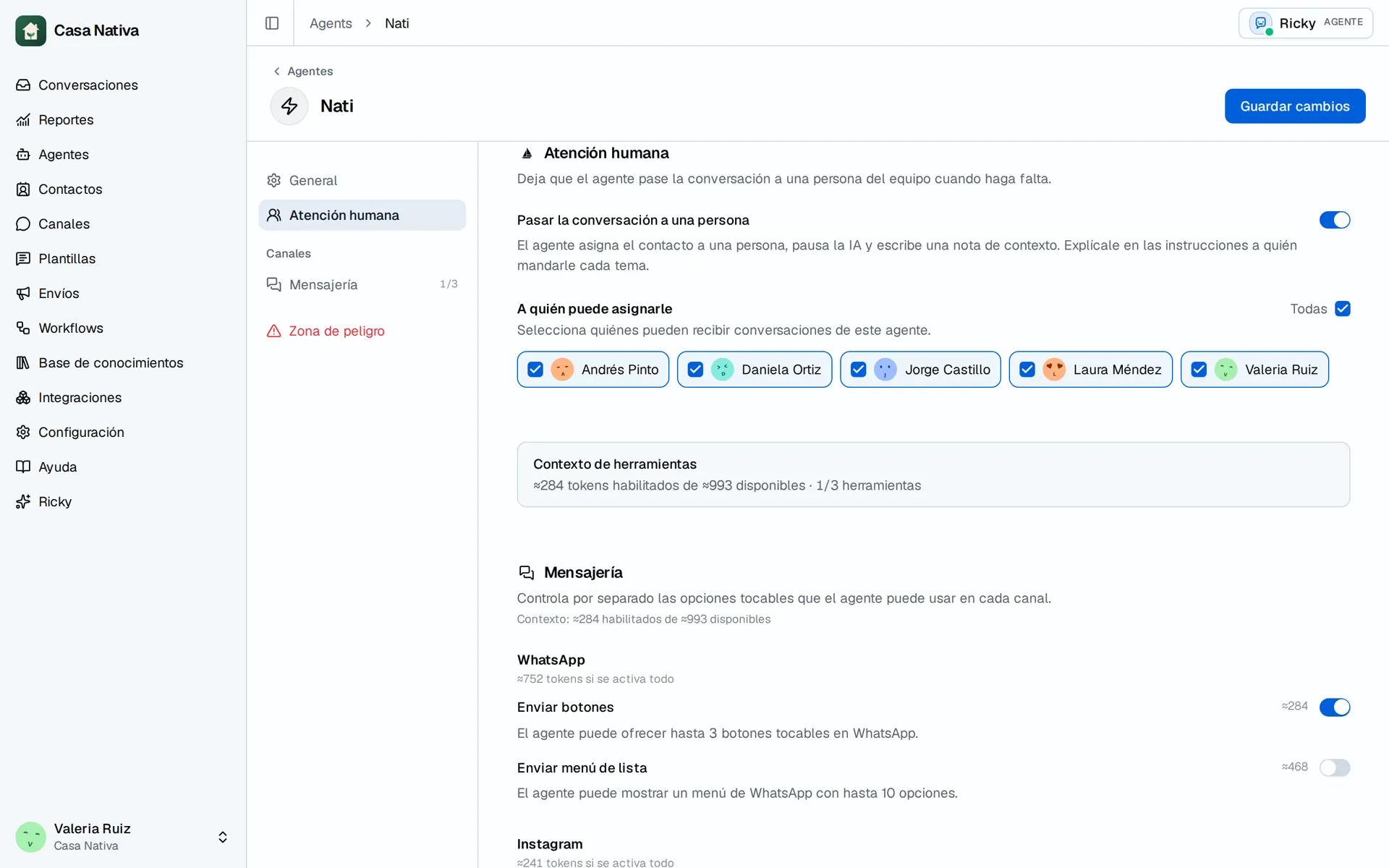
Demo organization: Casa Nativa. Interface shown in Spanish.
Turn it on
- Open Agents and select the agent.
- Open Human handoff.
- Turn on Hand the conversation to a person.
- Under Who it can assign to, select at least one member.
- In Instructions, explain which cases to hand off and to whom.
- Select Save changes.
If no members are available, invite your team. Naming someone in the instructions is not enough; they must also be selected in the setting.
Check the result
From a test contact, ask to speak with a person. In Conversations, check the assignee, the paused AI, and the note. If nothing happens, check that the tool is on, at least one recipient is allowed, and the instructions are clear. A team member can resume or change handling from the conversation.