Agents
AI voice calls
Set the agent voice for calls on an eligible WhatsApp number.
AI calls let an agent answer by voice on an enabled WhatsApp number. This is separate from voice notes.
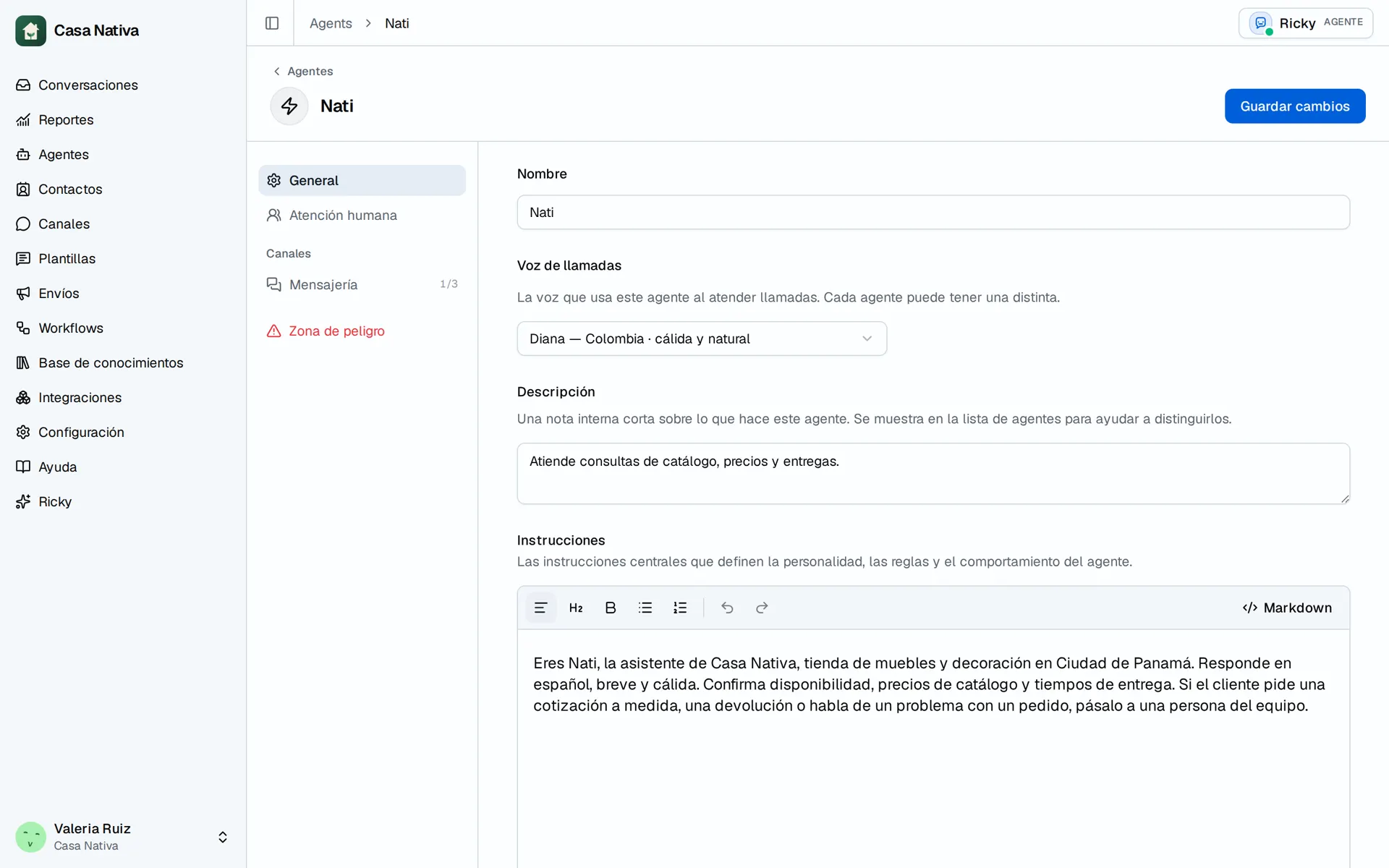
Demo organization: Casa Nativa. Interface shown in Spanish.
Set up the voice and number
- Open Agents, select the agent, and find Call voice under General.
- Choose a voice and select Save changes.
- Open Channels, find the WhatsApp number, and open its details.
- Check AI calls and turn them on if the action is available.
- Place a test call from a number you control.
Each agent can use a different voice. Calls depend on the number, Meta availability, and channel setup. Choosing a voice does not turn on calls by itself. If the setting fails, check the number status and use Check connection before trying again. An enabled setting alone does not prove that a call was answered.