Agents
Shareable contacts
Store people or departments the agent may recommend to customers.
Shareable contacts is the business directory in the Knowledge base. It is separate from the customer CRM: add only details your team may give to customers.
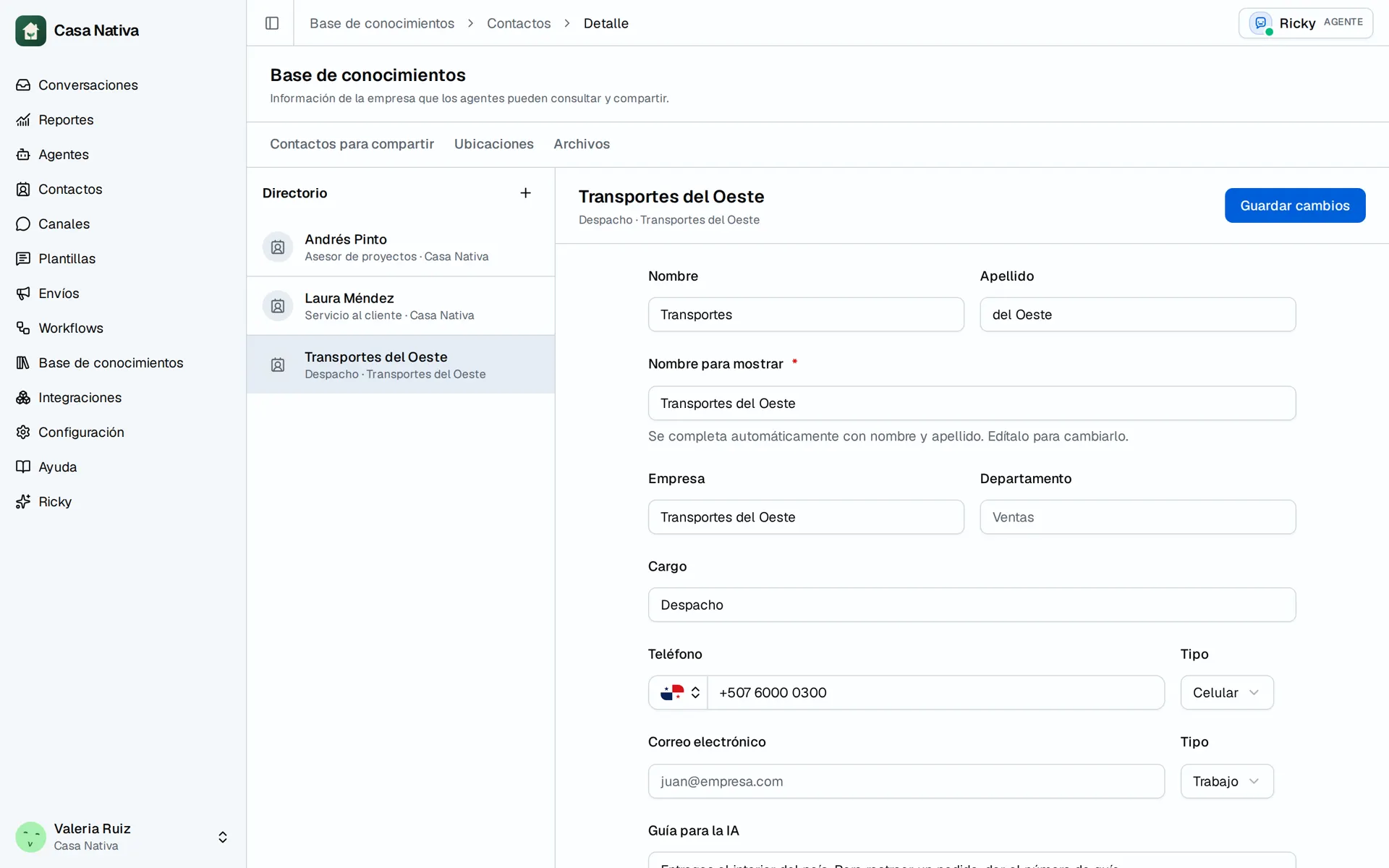
Demo organization: Casa Nativa. Interface shown in Spanish.
Add a contact
- Open Knowledge base → Shareable contacts.
- Select New contact.
- Fill in First name, Last name, or Display name; add Job title, Company, and Department when helpful.
- Add a shareable Phone and/or Email.
- Under Guidance for AI, explain when to recommend this contact.
- Select Add contact. To correct it later, open the record and select Save changes.
If the agent cannot find the person, check the name, guidance, and its tools. Do not publish private numbers. Delete removes the contact from the directory so the AI can no longer share it; check the record before confirming.