WhatsApp
WhatsApp broadcasts
Send a template to many contacts at once and check who received it.
A broadcast sends a WhatsApp template to a list of recipients. Every broadcast lives in WhatsApp → Broadcasts.
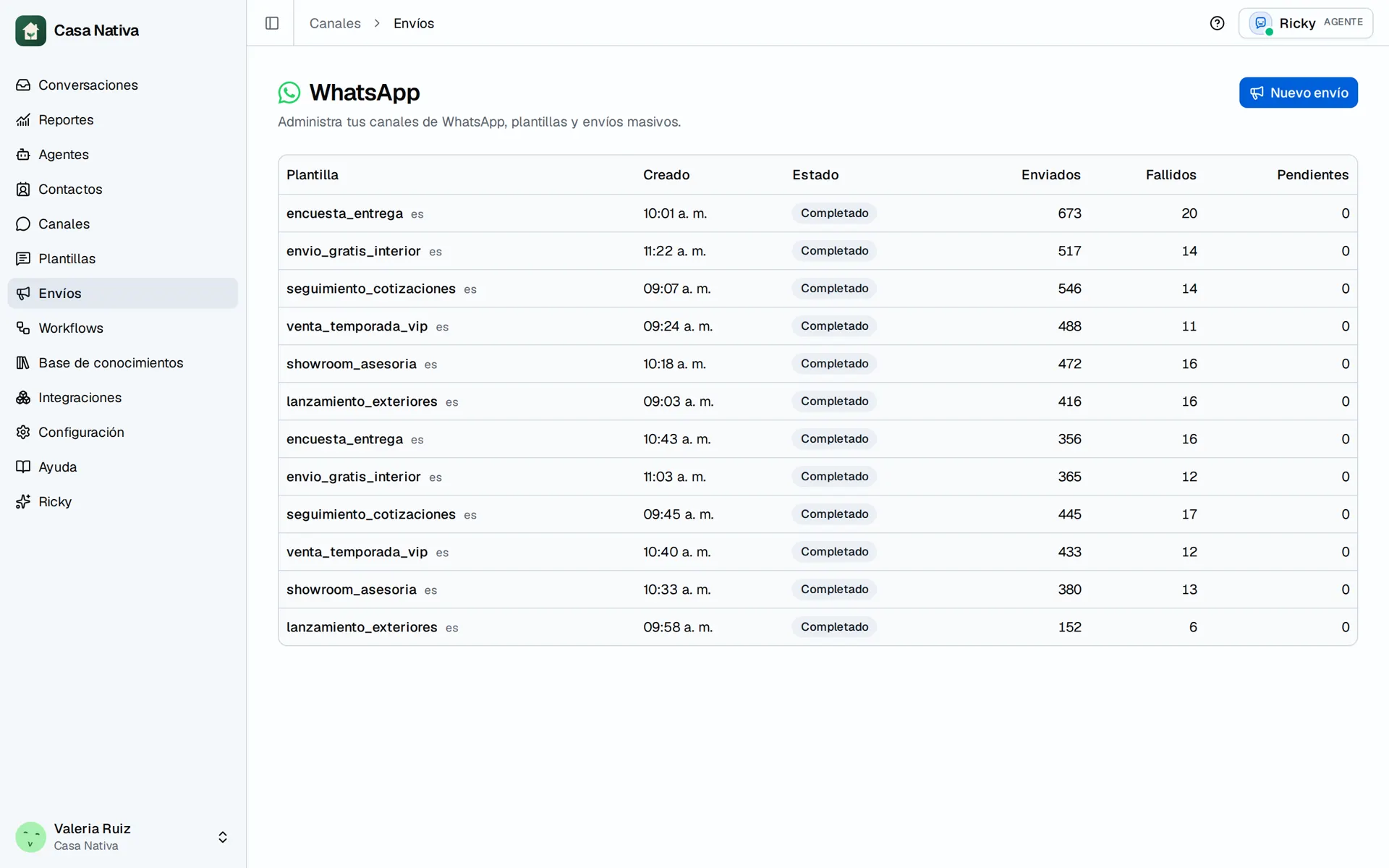
Demo organization: Casa Nativa. Interface shown in Spanish.
Create the broadcast
- Open Broadcasts and select New broadcast.
- Choose the template and its language.
- If the template has variables, decide which CRM field fills each one.
- Choose the audience:
- Ricky contacts: filter by stage, tag or search, just like on the Contacts page. With no filters, it goes to everyone who has a WhatsApp number.
- Number list: paste one number per line with the country code. You can also paste the phone column from a CSV.
- Review the recipient summary and confirm.
Ricky calculates the audience before sending and shows how many numbers are invalid.
Track the result
In the broadcast details you see the total recipients and how many messages were sent, failed or are pending. WhatsApp reports the latest status.
Requirements
- You need at least one approved template.
- Broadcasts use the number you choose in the template step.
- Check that the variables have valid data for the audience. A pasted number doesn't guarantee there's a contact record with every field needed.
- Only send to people who have agreed to receive these messages. An approved template doesn't replace that consent.
Sent doesn't prove the customer received or read it. Check the delivery statuses in the conversation, and don't repeat the whole broadcast to fix a few failures.