Settings
Organization details
Change the workspace name and the brand shown in its menu.
The Organization tab in Settings contains workspace details and the team.
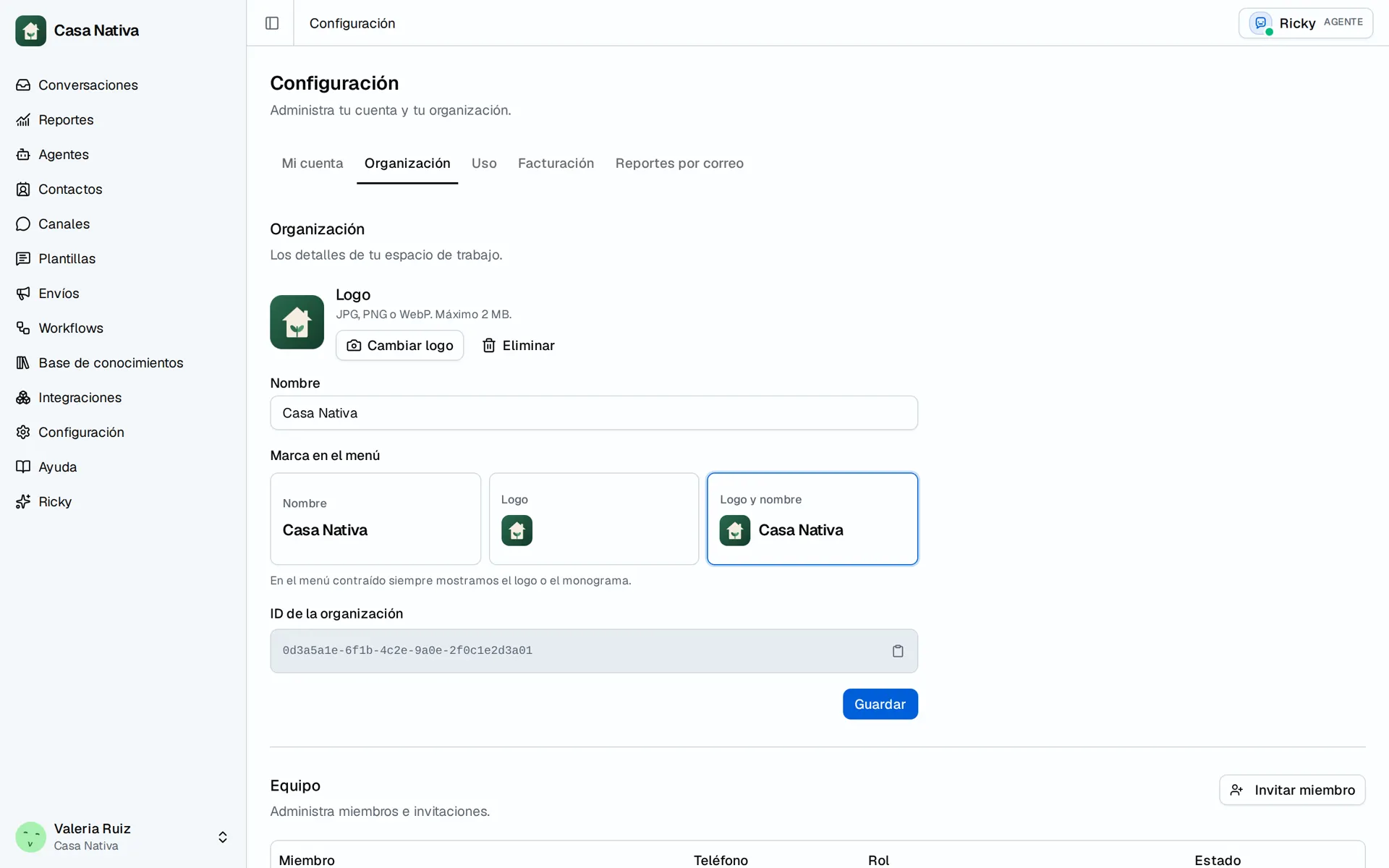
Demo organization: Casa Nativa. Interface shown in Spanish.
Edit details
- Open Settings → Organization and confirm the selected organization.
- Under Organization, check the Organization ID and change Name if you have admin permission.
- Under Brand in the menu, choose Name, Logo, or Logo and name.
- To add an image, use Upload logo or Change logo.
- Select Save and check the menu.
The logo accepts JPG, PNG, or WebP up to 2 MB. The collapsed menu shows the logo or a monogram. Only admins can rename the organization. If a change does not appear, check the selected organization and your role. Copying the ID can fail when the browser denies clipboard access; the ID is also displayed for manual copying.