Your profile and sign-in
Update personal details, sign-in methods, and password.
My account in Settings holds your profile and ways to sign in. Changes here affect your personal account, not the whole organization's details.
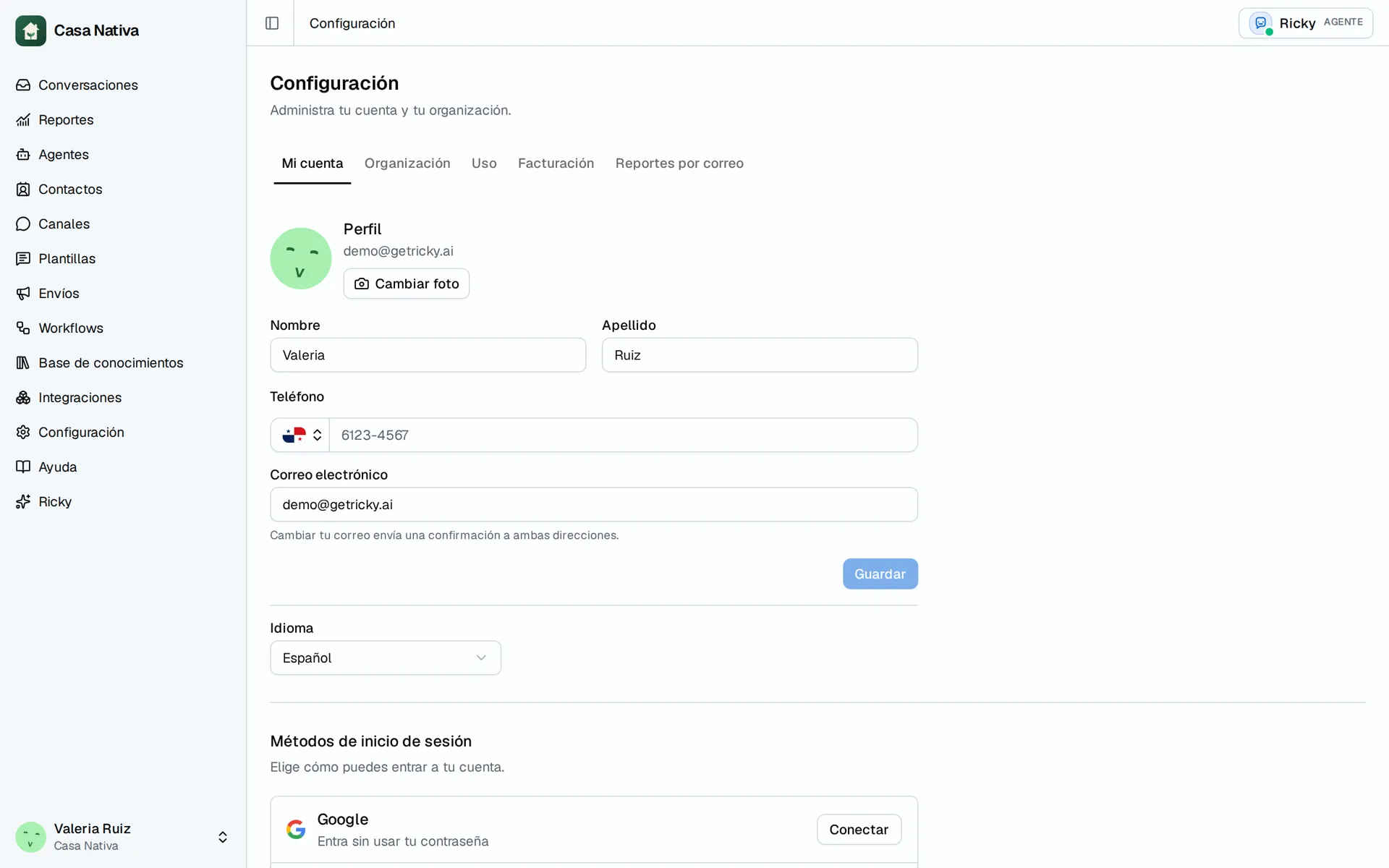
Demo organization: Casa Nativa. Interface shown in Spanish.
Update the profile
- Open Settings → My account.
- Under Profile, change First name, Last name, Phone, or Email.
- Select Save. For your photo, use Change photo or Remove.
- If you changed email, confirm the request sent to both addresses.
Under Sign-in methods, you can connect Google or GitHub. Do not disconnect your only way to sign in. Under Password, enter New password and Confirm password, then select Update password. It must have at least 8 characters.
If saving fails, check email or phone format and try again. If the email confirmation is missing, check both inboxes before retrying. Connecting Google for sign-in does not connect Google Drive for the agent.
Under My account, you can also choose Language; this changes how you see Ricky, not the language of an agent reply. To connect an external assistant, see Claude and ChatGPT.